
Building a Global Healthcare Design System: From Components to Scale
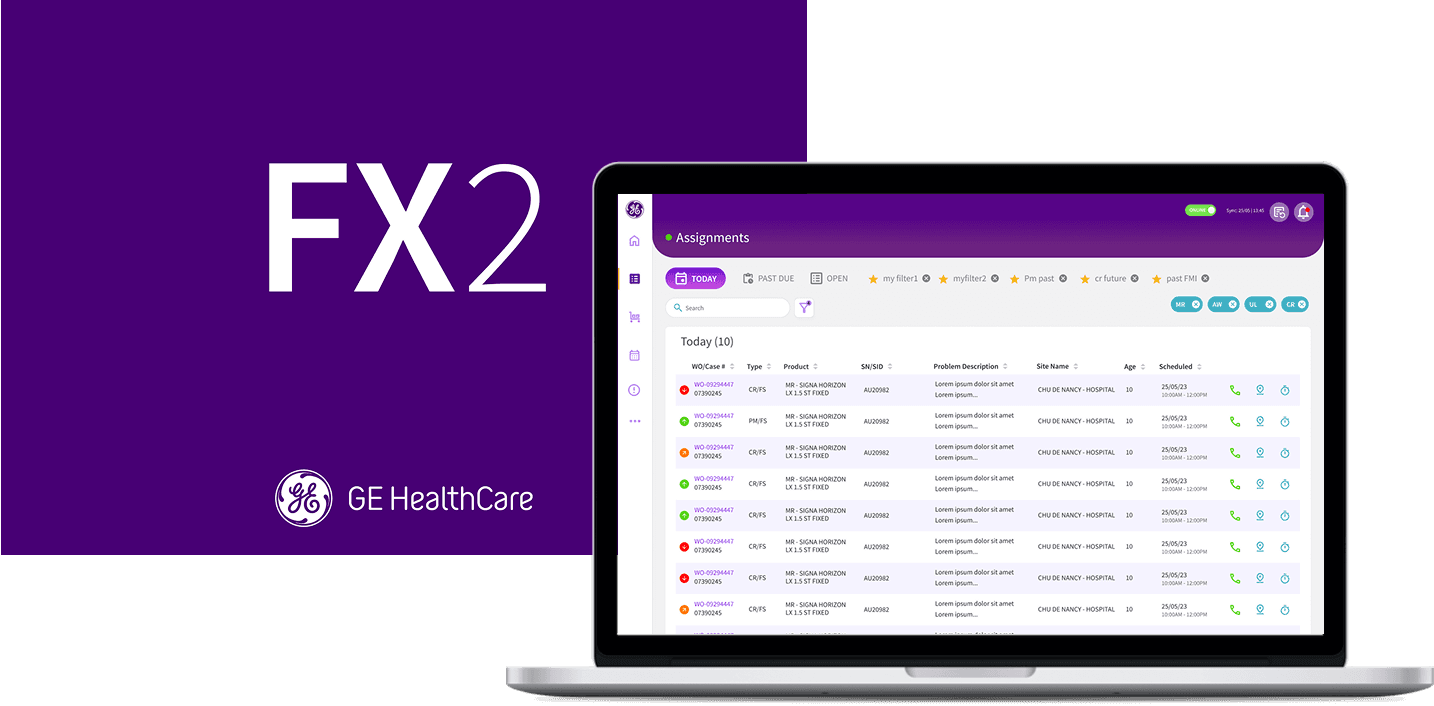
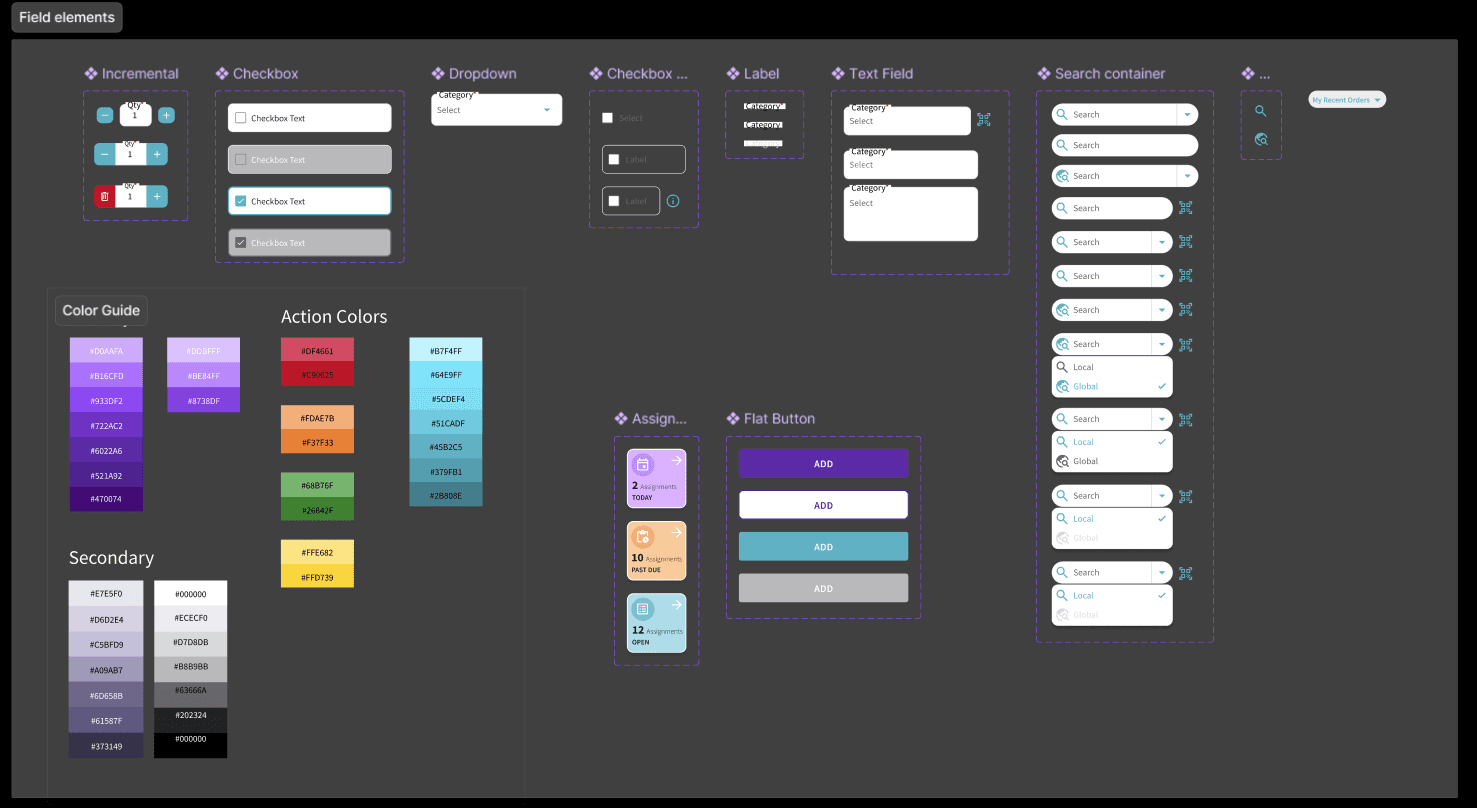
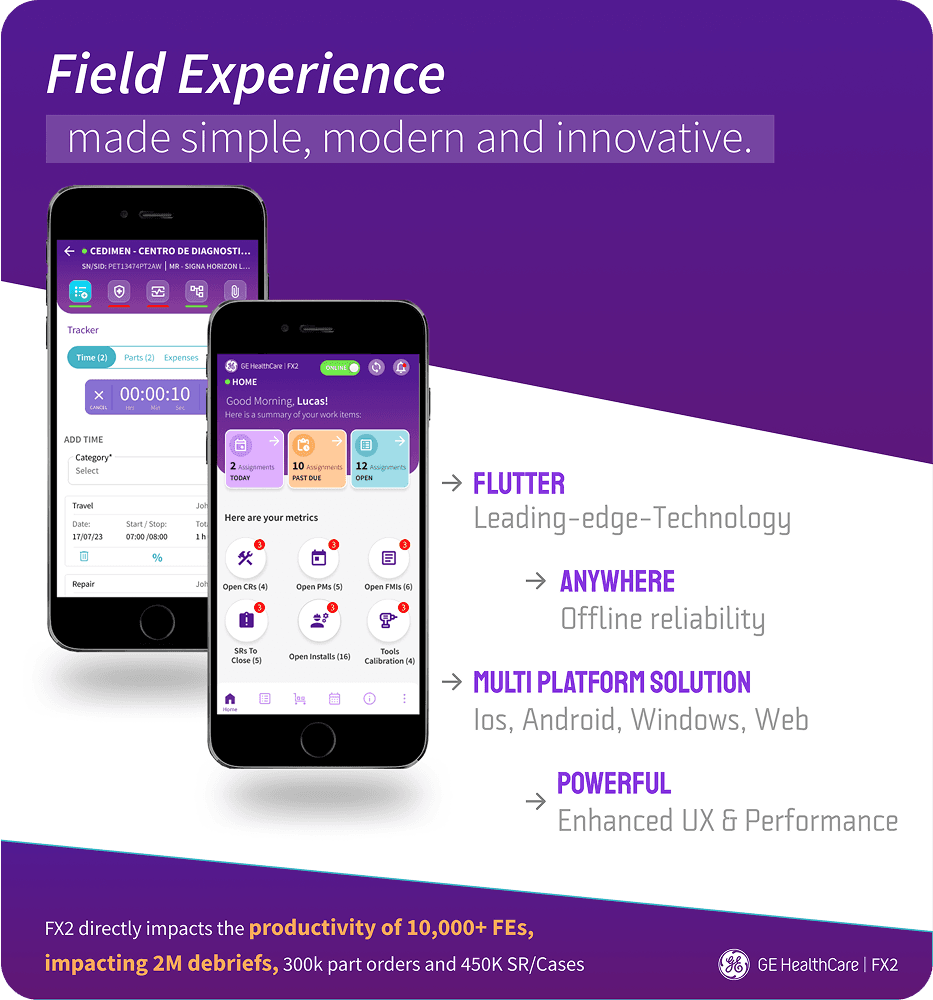
Over four years at GE Healthcare, I built and scaled a comprehensive design system from the ground up, creating 100+ components with 1,000+ variants that unified four critical field service applications. This system enabled consistent user experiences for 8,000+ field engineers across 160+ countries while reducing development time and ensuring accessibility compliance in FDA-regulated healthcare environments.
Role
Lead UX Designer
Design System Architect
3 Years
Chicago, Illinois, USA
1994
Medical Technology
$19.74 billion (2024)
50,000+
Challenge
Create a scalable design foundation that could support rapid feature development across multiple applications while maintaining consistency and accessibility standards for mission-critical healthcare software. It must serve 8,000+ field engineers across the US, Asia, Europe, and Africa while maintaining strict FDA/EMA compliance in highly regulated healthcare environments.
Results
Eliminated data loss enabling confident work in any hospital environment, improved job satisfaction allowing focus on core expertise, enhanced compliance through modern security standards, and global scalability with design system accommodating multiple languages and regional requirements worldwide. Relevant KPIs include: +82% mobile adoption, +12 system critical features redesigned and delivered, implemented mobile first cross-platform design, praise from field users, unified user experience across global suite of 4 applications.
+8,000
Live field engineer users globally
82%
Mobile adoption across LATAM and EMEA regions
50%
Reduction in task completion time
My Role
As Lead UX Designer and Design System Architect, I was responsible for:
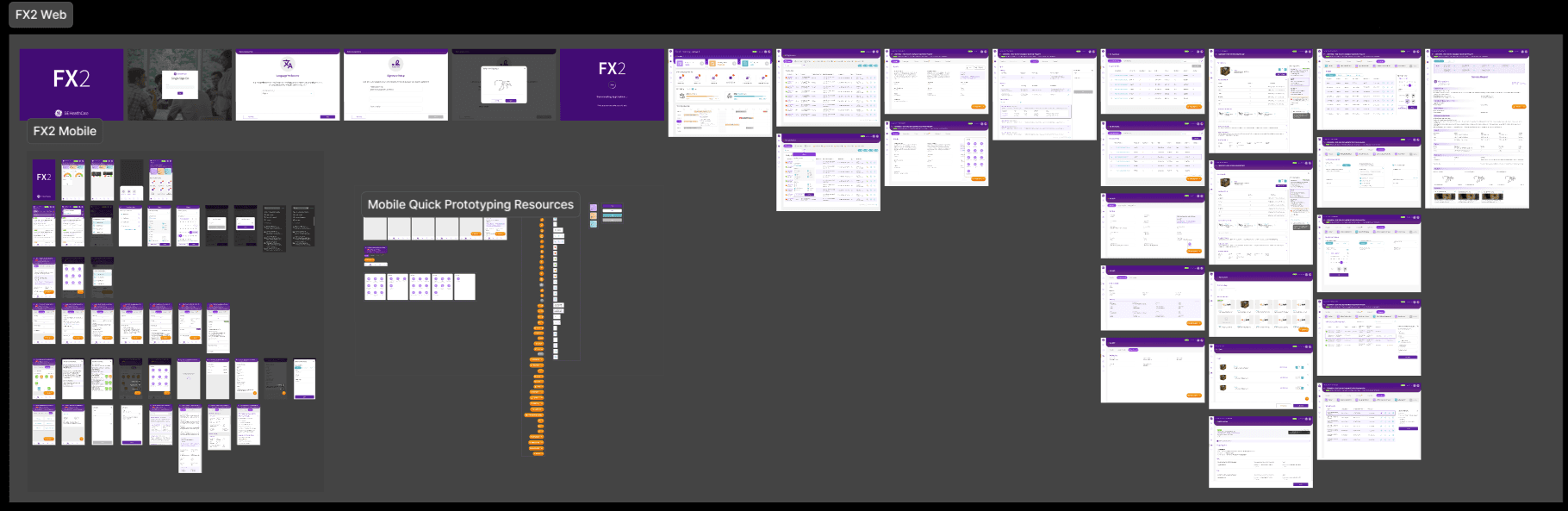
Component Design: Created and maintained 100+ reusable components from foundational elements to complex interactive features.
System Architecture: Developed scalable design patterns that could adapt across four different applications and international markets.
Cross-App Governance: Established design review processes and approval workflows across teams.
Developer Collaboration: Documented design specifications to aid development. Leveraged Confluence, Rally, Figma Dev Mode, and Flutter/Material Design.
Accessibility Leadership: Ensured WCAG compliance across all components with larger fonts, expanded touch targets, and inclusive design patterns.
The Challenge
Building healthcare software requires balancing complex regulatory requirements with intuitive user experiences. Field engineers needed consistent, learnable interfaces across multiple applications, but each app had evolved independently with different visual languages, interaction patterns, and technical constraints.
Key Challenges:
Regulatory Compliance: All components needed to support FDA/EMA documentation requirements.
Global Accessibility: User base spans multiple languages, ages, countries, and skill levels.
Technical Constraints: Integration with legacy systems and offline-first mobile architecture.
Scale Complexity: Maintaining consistency as the system grew from one to four applications.
Development Efficiency: Reducing rework while enabling rapid feature development.
Design System Architecture
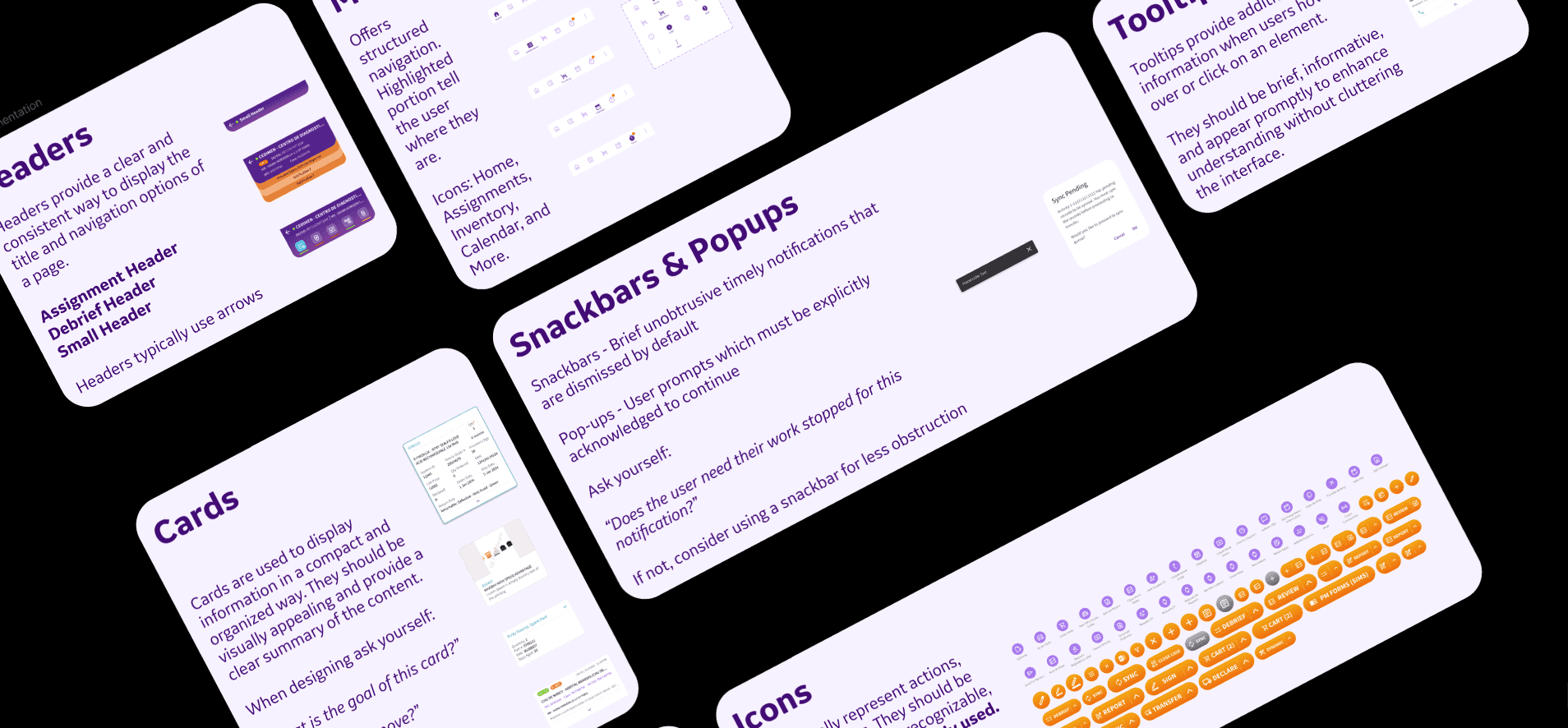
Foundation-First Approach
I started with core building blocks — typography, color, spacing, and iconography — then built increasingly complex components. This systematic approach ensured consistency and made the system teachable to new team members.
System Principles:
Start Small, Scale Systematically - Begin with individual features that form the app's backbone.
Test Frequently - Validate components with real users before system-wide adoption.
Build for Flexibility - Design components that could adapt to future requirements.
Document Everything - Maintain comprehensive guidelines for designers and developers.
Component Governance
I established scheduled design reviews with stakeholders. As our team and application suite grew, I created an approval process for delegated work. This process used our shared Figma design system to maintain consistency while enabling autonomous team work.
Key Component Deep Dives
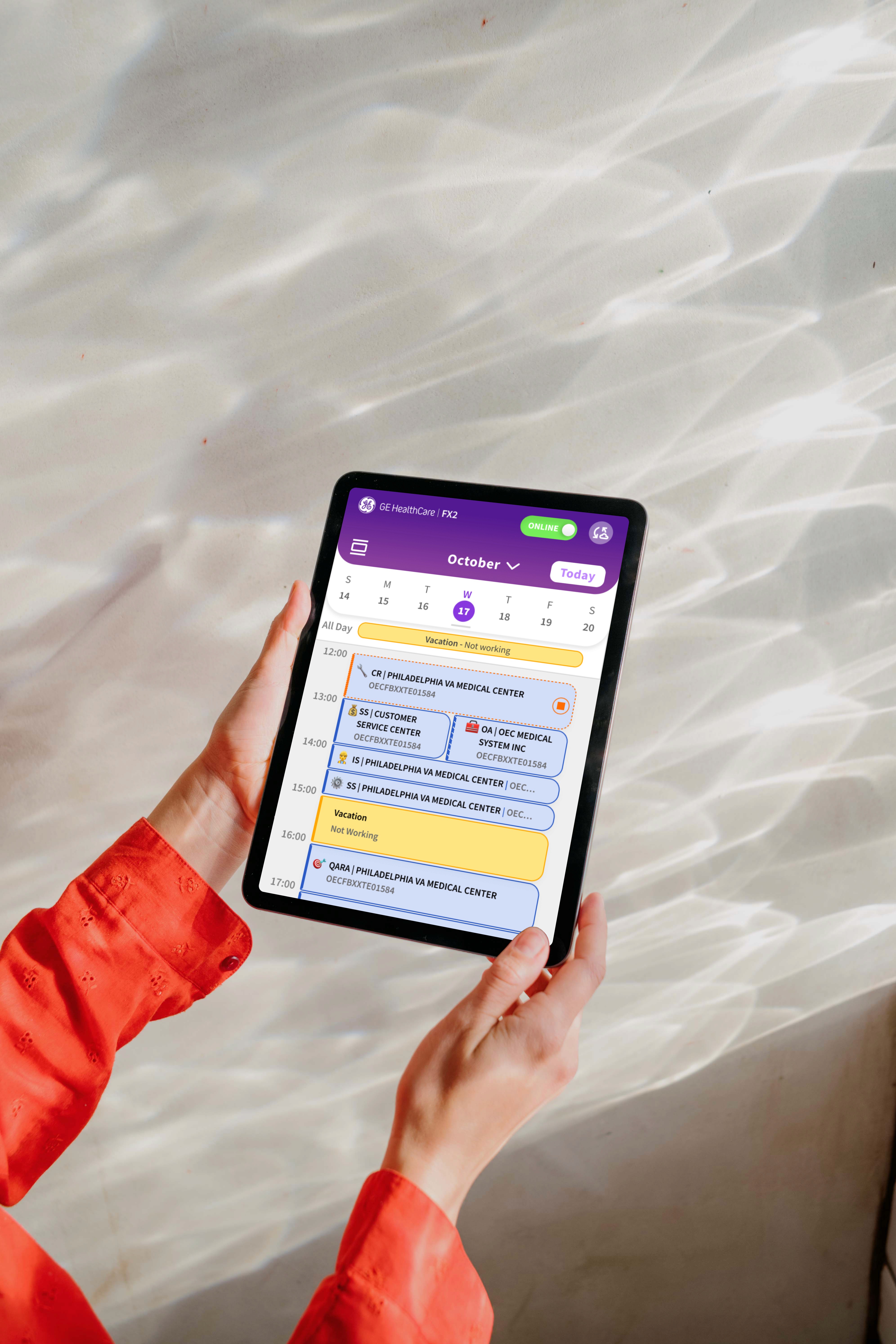
Calendar - Complex Scheduling Made Simple
The Calendar component required sophisticated interaction design to handle multiple appointment types, time zones, and availability constraints across global operations.
Technical Complexity:
Multi-timezone support for international scheduling
Integration with existing scheduling systems
Offline sync capabilities for mobile usage
Accessibility compliance with keyboard navigation
Design Improvements:
Clean, scannable interface prioritizing essential appointment information
Color-coded appointment types with accessibility-friendly patterns
Mobile-optimized touch targets and gesture support
Adopted emoticon based classification system from Europe to all users
Impact: Positive feedback from field engineers and regional managers for improved scheduling efficiency and reduced booking errors.
Debrief Suite - The Backbone of Compliance
The Debrief section represented the most consequential component work — a comprehensive form system enabling FDA-compliant documentation of all field service activities.
Component Architecture:
Timer Component: Custom time input allowing precise work duration tracking.
Expense Tracking: Multi-category expense entry with receipt attachment capabilities.
Parts & Tools Management: Inventory selection with automatic cost optimization.
Design Improvements:
Added auto-save functionality to prevent data loss during offline transitions.
Minimized white space to create more intentional, focused layouts.
Implemented progressive disclosure to break complex forms into manageable sections.
Created validation patterns that guided users toward compliant documentation.
Impact: Reduced average debrief time from 52 to 37 minutes for corrective repairs, directly contributing to a 50% overall efficiency improvement.
Floating Action Button - Modern UX Innovation
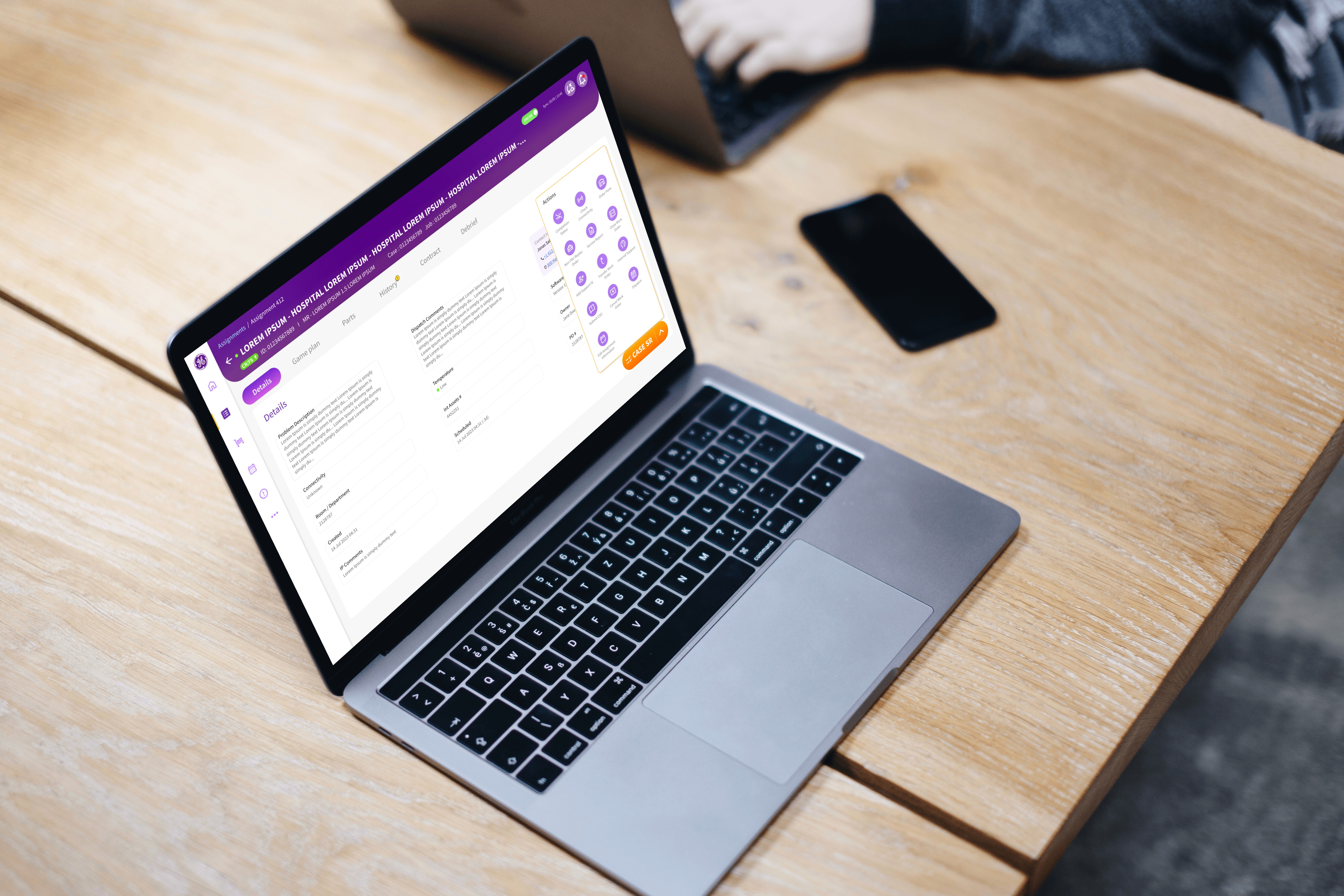
The Floating Action Button (FAB) represented a strategic UX decision to introduce modern mobile patterns into healthcare software traditionally resistant to interface innovation. Jakob's Law aided our decision making.
Implementation Challenge: This change was met with resistance from users and management, who worried that this modern design wouldn't be accepted. In response, I conducted A/B testing to compare interfaces with and without the FAB. This demonstrated improved task completion rates
Design Improvements:
Contextually aware - appears when users need quick access to primary actions
Accessibility compliant with proper contrast ratios and touch target sizes
Seamlessly integrated with existing navigation patterns
Adaptable positioning based on screen size and orientation
Impact: The FAB's success established trust for introducing other modern UX patterns, demonstrating that healthcare software could be both professional and intuitive.
System Scaling and Documentation
Multi-Application Architecture
Scaling the design system across four applications required careful component abstraction and variation management:
FX2 SMAX & SIEBEL: Core field service applications with full component library
DX Dashboard: Analytics-focused subset emphasizing data visualization components
MyInstalls: Installation-specific workflows with specialized form components, popular stepped design integrated into FX2
Developer Handoff Process
I established comprehensive documentation using multiple tools:
Figma Dev Mode: Advanced code generation and asset export
Confluence: Detailed usage guidelines and design principles globally available
Rally: Integration with development sprint planning
Box: Shared asset library and component specifications
Regular sync meetings with development teams ensured design fidelity and addressed implementation challenges early in the development process.
Accessibility and Inclusive Design
Healthcare software must serve users across diverse capabilities and contexts. I implemented systematic accessibility improvements:
Visual Accessibility:
Increased minimum font sizes across all components to 12pt
Expanded touch targets to 44px minimum for mobile interfaces
Implemented high-contrast color schemes with colorblind-friendly palettes
Interaction Accessibility:
Focus management for complex multi-step workflows
Allocated newly available screen space to simplify layouts
Ensured keyboard navigation support for all interactive elements
Cognitive Accessibility:
Consistent patterns across all components
Clear error states with actionable guidance
Progressive disclosure to reduce cognitive load
System Impact and Evolution
Quantified Results
Development Efficiency: Reduced component development time through reusable libraries
User Consistency: Unified experience across three platforms and four applications
Global Scalability: System supported multiple languages and regional requirements
Mobile Adoption: Contributed to 82% mobile adoption across LATAM and EMEA regions
Design System Maturity
The system evolved from basic component library to sophisticated design infrastructure:
Version 1: Foundational components and basic documentation
Version 2: Advanced components with user-validated accessibility compliance
Version 3: Cross-application governance and available documentation
Version 4: Integrated design system with developer workflows

“…He quickly adapted to the role, engaging with stakeholders effectively and keeping discussions focused on project goals. David combines curiosity, creativity, and practical problem-solving to deliver user-centered designs. He would be a valuable asset to any team. ”
Anshu Sharma
Sr. Director | GE Healthcare

Conclusion
Key Findings
Systems Thinking: Building design systems requires balancing immediate needs with long-term scalability. Starting small and testing frequently prevented over-engineering while ensuring solid foundations.
Stakeholder Advocacy: Introducing modern UX patterns in conservative healthcare environments required data-driven advocacy and strategic patience. The FAB success opened doors for broader innovation.
Documentation as Product: Comprehensive documentation was as important as the components themselves. Well-documented systems enable autonomous team work and consistent implementation.
Accessibility Integration: Building accessibility into the system foundation was more efficient than retrofitting compliance. Early accessibility considerations improved the experience for all users.
Looking Forward
This design system work demonstrates my ability to think systematically about user experience challenges while executing detailed component design. The four-year evolution shows sustained impact and continuous improvement in a complex, regulated environment.
The system's success across 8,000+ global users and four distinct applications proves that thoughtful design architecture can enable both consistency and flexibility at scale.
Summary
This project showcases my ability to architect and execute comprehensive design systems that serve complex user needs while enabling efficient development workflows in highly regulated healthcare environments.